

 Aug 08,2026
  By Muhammad Raza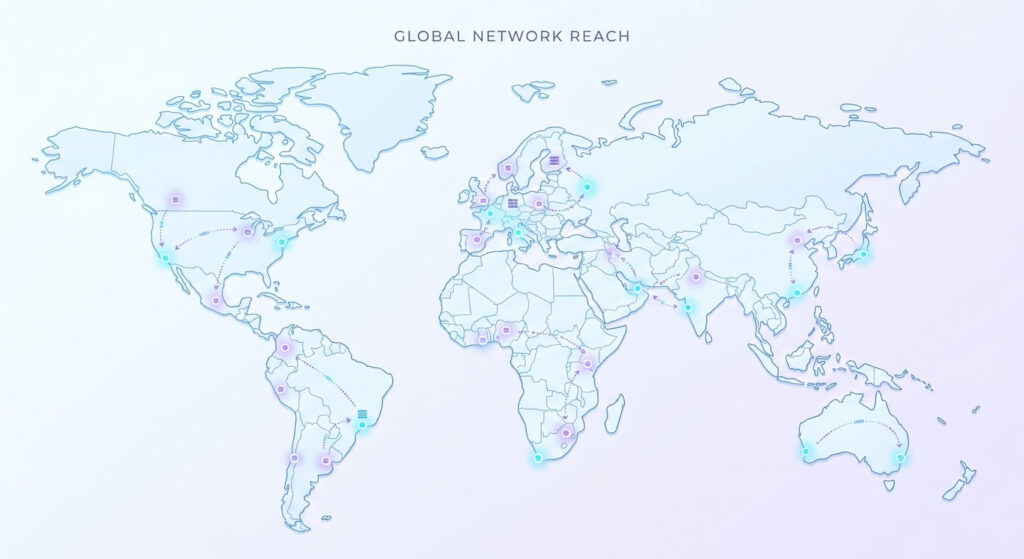
Table of Contents
What Is Edge Computing? A Simple Guide for Businesses
Edge computing means processing data closer to the person or device that needs it instead of sending every request to one central server. The shorter physical distance can reduce network latency, improve response times, and take some pressure off your main infrastructure.
The simplest way to understand edge computing is to think about warehouses.
What is edge computing in simple terms?
Imagine you run an online business with one large warehouse in Karachi.
A customer in Karachi places an order. Great. The warehouse is nearby, so the order can be processed quickly.
Now imagine another customer is in London.
If every order has to travel to Karachi, get processed there, and then travel back to London, there’s more network distance involved. It might still work perfectly well, but the customer has to wait longer.
Instead, imagine you put smaller warehouses in London, Singapore, Frankfurt, and New York.
Now customers can get certain things locally.
That’s basically the idea behind edge computing.
Your main infrastructure can remain in one or more central locations, while selected processing happens at servers positioned closer to your users.
How does edge computing reduce latency?
Latency is the delay between sending a request and getting a response.
Physical distance matters because data can’t travel instantly. Network routing, congestion, DNS lookups, TLS negotiation, server processing, and other factors add additional delay.
As a rough example, a request travelling between a user in London and a server in Singapore may involve well over 100 milliseconds of network round-trip time before your application even starts doing meaningful work.
Move that particular request to an edge location closer to London and the network portion can potentially drop to tens of milliseconds.
The actual improvement depends heavily on the user’s location, network provider, routing, application architecture, and what the edge server needs to do.
So don’t read “edge = 10 ms” as a universal rule. It isn’t.
In a well-placed architecture, though, cutting a request from roughly 150 ms of network round trip to 20–40 ms can make a noticeable difference, especially when an application performs several requests.
What can actually run at the edge?
This is where things get more interesting.
You don’t normally move your entire database to dozens of locations around the world.
Instead, you move specific operations closer to users.
Common examples include:
- CDN caching
- Image and video delivery
- HTTP request routing
- Authentication checks
- Redirects
- Personalisation logic
- A/B testing
- API request handling
- Security rules
- Lightweight server-side code
- Geographic routing
A visitor might request a product page from Pakistan.
The edge server can decide which backend should handle the request, serve cached content immediately, apply security rules, or perform some lightweight processing before the request reaches your main application.
That can save a trip back to the central server.
What are Cloudflare and Vercel Edge used for?
You may already be using edge infrastructure without calling it “edge computing.”
Cloudflare provides a large global network that can handle things such as CDN caching, DNS, security filtering, request routing, and edge code.
For example, a Cloudflare setup can serve a cached static asset from a nearby location instead of asking your origin server for the same file every time.
Vercel also provides edge-oriented infrastructure for web applications. Frameworks such as Next.js can use geographically distributed infrastructure for selected server-side operations and content delivery.
These aren’t magic performance buttons.
If your application spends most of its time waiting for a database query in one central location, putting the first part of the request at the edge doesn’t automatically fix the database bottleneck.
That’s a common misunderstanding.
What’s a real example of edge computing?
Consider an international e-commerce website.
The company’s main application and database might be hosted in a single region.
A customer in Germany opens the website.
Without useful edge caching, the request may travel from Germany to the application’s region, retrieve the required assets or page data, and travel back.
With an edge setup, several things can happen before the request reaches the origin:
- The edge receives the request.
- Security rules are applied.
- Cached images, CSS, JavaScript, or pages are served locally.
- Only requests requiring fresh application data are sent to the main server.
- The response can then be cached for future visitors where appropriate.
Imagine the site has 1 million requests for the same static JavaScript file.
Without caching, your origin may have to deal with those requests repeatedly.
With a CDN, many of those requests can be served from edge locations.
That’s not only about speed. It can also reduce the amount of work your origin server has to handle.
Edge computing vs traditional cloud computing
The difference is mainly where processing happens.
| Traditional centralised setup | Edge computing |
|---|---|
| Processing happens closer to the main server | Selected processing happens closer to users |
| Requests often travel to the origin | Some requests can be handled at edge locations |
| Simple architecture | More distributed architecture |
| Easier to reason about | More moving parts |
| Database usually stays centralised | Data may still remain centralised |
| Good for many standard applications | Useful when location and latency matter |
Edge computing isn’t a replacement for cloud computing.
In most real systems, they’re used together.
You might have your Laravel application and PostgreSQL database in one cloud region while Cloudflare handles caching, security, routing, and some edge logic around it.
That’s a perfectly normal architecture.
Does edge computing make every website faster?
No.
And this is where I think businesses can waste money.
If your website is primarily serving users in one city and your server is already nearby, moving parts of the application around the world may produce very little benefit.
For example, suppose your customers are mostly in Karachi and your application is hosted in a good nearby region.
If your biggest performance problem is an inefficient MySQL query taking 800 ms, edge computing isn’t the solution.
Fix the query.
If your WordPress website takes five seconds because of a badly written plugin, putting Cloudflare in front of it won’t magically turn that plugin into good code.
Fix the application first.
When is edge computing worth it?
Edge computing becomes more interesting when you have a geographically distributed audience or latency-sensitive workloads.
It can make sense for:
- International websites
- High-traffic e-commerce platforms
- Global SaaS applications
- Real-time applications
- APIs serving users across multiple regions
- Video and media platforms
- Applications with heavy static content
- IoT systems
- Applications where response time directly affects user interaction
It can also help when your origin server is receiving huge amounts of repeated traffic that could be served from cache.
When isn’t edge computing worth it?
You probably don’t need a complicated edge architecture if:
- Your users are concentrated in one region.
- Your website has relatively low traffic.
- Your server is already close to your customers.
- Your main problems are database or application performance.
- Your application requires frequent database writes.
- Your team doesn’t have the time to maintain distributed infrastructure.
- The performance improvement doesn’t affect your business metrics.
I’ve seen teams spend more time discussing infrastructure than fixing the actual slow query or oversized image causing the problem. In my experience, measuring the bottleneck first usually saves a lot of unnecessary work.
What does edge computing mean for your business or website?
Don’t start by asking, “Should we move our website to the edge?”
Start with:
Where are our users, and where is our application spending time?
Measure your current response times from different regions. Look at cache hit rates, server response time, database queries, JavaScript execution, image sizes, and third-party requests.
Then decide what actually needs to move closer to the user.
For many businesses, the first step isn’t a full edge architecture. It’s much simpler:
CDN + caching + good hosting + application optimisation.
After that, edge functions or geographically distributed application logic may make sense for specific parts of the system.
The goal isn’t to use edge computing because it’s a modern technology. The goal is to reduce the time users wait and reduce unnecessary work on your infrastructure.
If edge computing helps achieve that, use it.
If fixing the application gives you the same result for a fraction of the complexity, fix the application.
Frequently asked questions
Is edge computing the same as a CDN?
Not exactly. A CDN mainly distributes and caches content closer to users. Edge computing goes further by allowing certain logic or processing to run at distributed edge locations.
Does edge computing replace a server?
Usually, no. Most applications still have an origin or backend infrastructure. Edge services sit in front of, or alongside, that infrastructure and handle specific tasks closer to the user.
How much faster is edge computing?
There’s no single number. Depending on location and architecture, moving processing closer to users can reduce network latency from well over 100 ms to a few tens of milliseconds in some cases. The real improvement has to be measured for the specific application.